> ## Documentation Index
> Fetch the complete documentation index at: https://help.oskaros.com/llms.txt
> Use this file to discover all available pages before exploring further.
# Services
> Create bookable services linked to resources for clients.
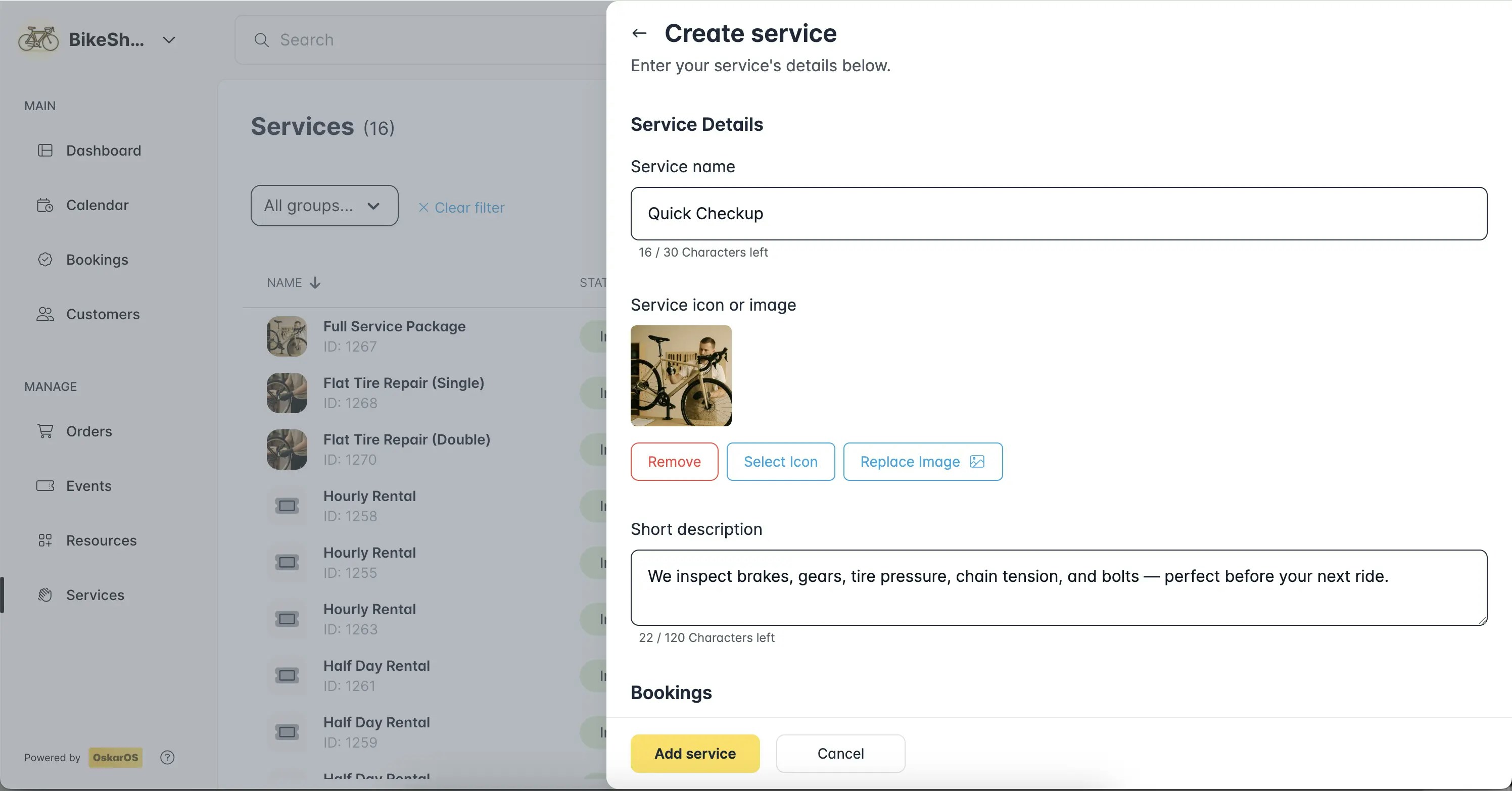 Services are what clients book, like haircuts or room rentals, and require a linked resource. In [****Left Menu > MANAGE > Services >****](https://app.oskaros.com/dashboard/services) + Add Service:
* Name the service (e.g., “Quick Checkup”).
* Set duration, price (or \$0 for free), and link to a resource.
* Add a short description (e.g., “We inspect brakes, gears, tir pressure, chain tension”).
* Link your service to a resource to become bookable.
Save, and it’s live on your Booking Page. Double-check **Associated resources** to avoid connection issues. More on services vs. events in [Services vs Events guide](https://help.oskaros.com/guides/deep-dives-and-how-tos/services-vs-events).
Services are what clients book, like haircuts or room rentals, and require a linked resource. In [****Left Menu > MANAGE > Services >****](https://app.oskaros.com/dashboard/services) + Add Service:
* Name the service (e.g., “Quick Checkup”).
* Set duration, price (or \$0 for free), and link to a resource.
* Add a short description (e.g., “We inspect brakes, gears, tir pressure, chain tension”).
* Link your service to a resource to become bookable.
Save, and it’s live on your Booking Page. Double-check **Associated resources** to avoid connection issues. More on services vs. events in [Services vs Events guide](https://help.oskaros.com/guides/deep-dives-and-how-tos/services-vs-events).